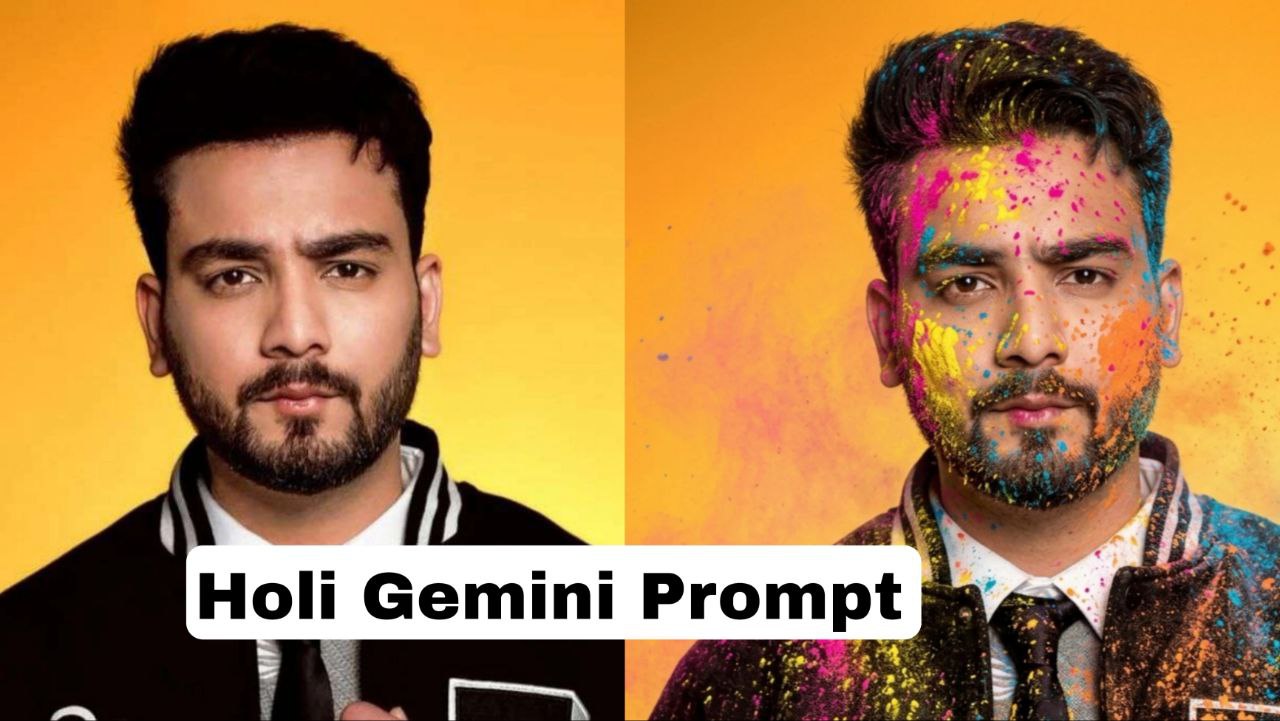
नमस्कार दोस्तों कैसे हैं आप लोग दोस्तों आज के इस आर्टिकल में हम लोग बात करने वाले हैं कि आप लोग 2026 में अपने लिए बेस्ट फोटो गूगल gemini का उपयोग करके कैसे बना सकते हैं जिसके लिए हम आपके यहां पर कुछ बेहतरीन promt देने वाले हैं जिसका उसे करके अगर आप अपनी फोटो को बनाते हैं तो उसमें सबसे पहले कुछ चीज यह अच्छी होगी की बहुत लोग आपको गूगल का प्रॉन्प्ट देते हैं तो उसमें अगर आप अपनी फोटो को बनाते हो तो यह दिक्कत होता है कि फेस ही पूरा चेंज हो जाता है यानी अगर आपने अपना फेस को अपलोड करके gemini से फोटो जनरेट कराया तो उसमें आपका जो फेस है वह कुछ अलग हो जाता है जिससे वह फोटो अच्छा लगता नहीं है|
यहां पर आपको हम जो फ्रंट देने वाले हैं उसका उपयोग करके अगर अपनी फोटो को बनाते हो तो उसमें आपका फेस पूरा हंड्रेड परसेंट मैच हो जाएगा किसी भी प्रकार का बदलाव नहीं होगा और बेहतरीन एचडी क्वालिटी में होली का फोटो बना पाएंगे जिसका आप डाउनलोड करके अपने सोशल मीडिया प्लेटफॉर्म जैसे व्हाट्सएप इंस्टाग्राम फेसबुक पर अपलोड कर सकते हैं और वह बिल्कुल रियल लगेगा ऐसा नहीं लगेगा कि आपने ai से बनाया हुआ है।
आपको हम जो गूगल gemini का prompt देने वाले हैं उसमें कुछ आपको अच्छी चीज रहने वाली हैं।
- सबसे पहली बात फोटो में आपको पूरी तरह से होली का एटमॉस्फेयर जनरेट हो जाएगा।
- इसमें आपको कलर स्प्लैश इफेक्ट भी मिलने वाले हैं।
- लाइटिंग स्टाइल बेहतरीन रहेगा।
- मूड और इमोशन भी बिल्कुल दिखेगा।
- फोटो पूरी एचडी क्वालिटी में डाउनलोड होगी।
Step to generate photo
- सबसे पहले आपको अपने फोन में गूगल gemini ऐप को डाउनलोड करना होगा अगर वह पहले से डाउनलोड है तो अच्छी बात है वरना आपको डाउनलोड करके उसको अपने किसी भी ईमेल आईडी से लॉगिन कर लेना होगा।
- लोगिन करने के बाद आप उसके होम पेज पर जाओगे तो ऊपर मैं आपको कुछ ऑप्शन दिखेंगे और बीच में आपको तीन से कर पहले से gemini सजेस्ट करता है ऑप्शन जिसमें आपको नैनो बनाना सेलेक्ट करना है।
- उसको सेलेक्ट करने के बाद आपको नीचे जहां पर आपको चैट करने का ऑप्शन होगा वहां पर आना होगा और प्लस वाले आइकन पर क्लिक करके अपना कोई एक फोटो अपलोड करना होगा जिसमें आपका फेस पूरी तरह से दिख रहा हूं फेस पर कोई मास्क ना लगा हो और अपना रियल फोटो कोई एडिट ना हो।
- फोटो अपलोड करने के बाद दिए हुए gemini ai prompt जो कि आपको मैं नीचे दे दिया है उसकी कॉपी करके पेस्ट कर देना होगा और सेंड वाले ऑप्शन पर क्लिक कर देना होगा।
- उसके बाद है 20 से 30 सेकंड का समय लगाएगा जनरेट करने में और नीचे आपको आपका फोटो मिल जाएगा जिसको आप डाउनलोड करके हर जगह उपयोग कर सकते हो।
- यहां पर मैं आपको टोटल 4 होली का प्रॉन्प्ट देने वाला हूं जिसको आप अपने अलग-अलग फोटो में अलग-अलग तरीके से आए कहीं फोटो में अलग-अलग एंगल से और अलग-अलग स्टाइल में जनरेट कर सकते हैं।
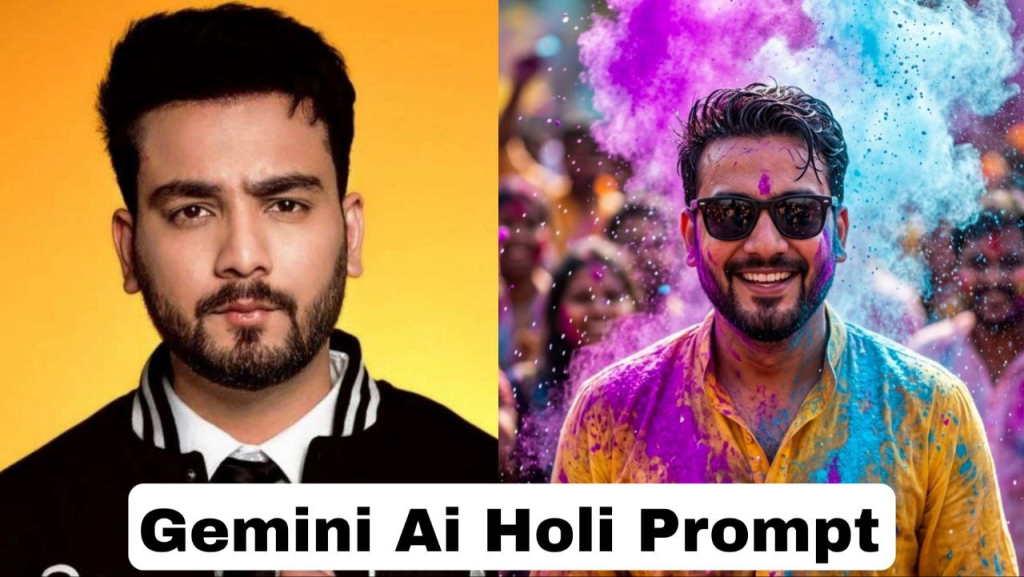
Prompt -1
Use the uploaded photos exclusive facial reference. Absolute face lock.
Preserve identity with zero deviation: identical eyes, eyelids, brows, nose structure, lips, jawline, cheekbones, facial proportions, skin texture, pores, facial hair density, beard shape, hairline, and hairstyle. No beautification, no symmetry correction, no smoothing, no stylization. No identity drift under any condition and same specs as reference image

Hair - take reference from uploaded image

Create a Ultra-realistic High-speed photography masterpiece. A young man natural smile joyfully as a cloud of vibrant neon purple and sky-blue Holi powder explodes around him. He is wearing a crisp yellow kurta with sunglasses that is becoming a chaotic canvas of colors. Water droplets suspended mid-air, candid expression, eyes sparkling with pure happiness. The festive energy radiates through his natural smile and relaxed posture. The background is a soft bokeh blur of a lively Holi crowd. Cinematic backlighting creates a glowing rim light around his silhouette, highlighting hyper-detailed skin texture and wet fabric details. 8K resolution, photorealistic, ultra-sharp focus, dynamic motion freeze, vibrant color contrast.

Ratio - 9:16
Prompt -2
Ultra-realistic 4K cinematic photo of my vehicle with rider if present, fully covered in vibrant Holi colors. Bright gulal on vehicle body, mirrors, wheels and tyres, and on rider clothes and helmet. Color splashes on the road. Background natural and unchanged. Wet glossy texture, powder particles, sharp focus, HDR, photorealistic lighting, festive Holi vibe.Prompt-3
Add realistic Holi festival color splashes to the existing photo. Keep the original face, pose, background, lighting, camera angle, and composition exactly the same. Apply vibrant gulal powder in pink, yellow, blue, and orange on the face, hair, clothes, boat, and slightly in air around the subject. Colour should look natural, soft-blended, and photorealistic with fine powder particles and light splatter details. Do not alter facial features, skin tone, body shape, or environment. Maintain original depth of field and overall image quality.Prompt-4
Ultra-realistic 4K cinematic PORTRAIT photo of my vehicle with person if present, fully covered in vibrant Holi colors. Bright gulal on vehicle body, mirrors, wheels and tyres, and on the person’s clothes and skin. Keep the same original face exactly as the reference image — same identity, facial structure, skin tone, beard, hair and expression. Do not change the face. If the person is wearing a helmet keep the same helmet with Holi colors, if not then no helmet. Color splashes on the road. Background natural and unchanged. Wet glossy texture, powder particles, sharp focus, HDR, photorealistic lighting, festive Holi vibe. Vertical portrait composition, full body visible.